


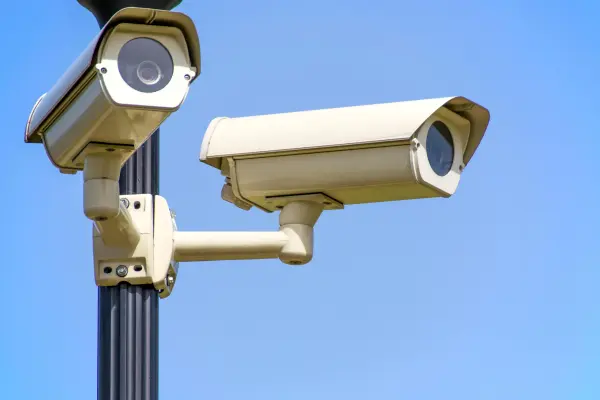

In today’s world, CCTV cameras are one of the most effective tools to ensure the safety and security of your home or business.
Whether you want to monitor your property, prevent theft, or record evidence, installing a CCTV system properly is crucial for reliable surveillance. This CCTV installation guide will help you set up your cameras efficiently and optimize your security system.
Why Proper CCTV Installation Matters
Installing CCTV cameras is not just about fixing them on walls. Proper installation ensures:
- Optimal coverage: Avoid blind spots.
- Clear video quality: Correct camera angles and lighting.
- Secure connections: Prevent hacking or unauthorized access.
- Long-lasting performance: Reduce wear and tear.
A poorly installed CCTV system can leave your property vulnerable, making it essential to follow a structured installation plan.
Step 1: Plan Your CCTV System
Before installation:
- Identify Areas to Monitor
- Entrances and exits
- Driveways and parking areas
- Living rooms, offices, or cash counters
- Choose Camera Types
- Dome Cameras: Indoor surveillance
- Bullet Cameras: Outdoor, long-range monitoring
- PTZ Cameras: Pan, tilt, and zoom capabilities
- IP Cameras: High-resolution, networked cameras
- Decide on Recording System
- DVR (Digital Video Recorder): For analog cameras
- NVR (Network Video Recorder): For IP cameras with higher resolution
Step 2: Choose the Right Location
- Mount cameras high enough to prevent tampering
- Avoid direct sunlight or reflective surfaces to reduce glare
- Keep cameras covered from rain or snow (for outdoor installation)
- Ensure easy access for maintenance
Tip: Sketch a simple floor plan and mark camera positions for complete coverage.
Step 3: Install Cameras
Indoor Cameras:
- Drill small holes in the wall or ceiling.
- Fix the camera mount securely.
- Connect the camera to power and the DVR/NVR system.
Outdoor Cameras:
- Use weatherproof cameras.
- Mount on a sturdy wall or pole.
- Adjust angle to cover entry points and blind spots.
- Run cables safely or use wireless cameras if needed.
Step 4: Connect Cables and Power Supply
- Power Cables: Ensure continuous supply using adapters or PoE (Power over Ethernet).
- Video/Data Cables: Connect to DVR/NVR for analog cameras or directly to the network for IP cameras.
- Wireless Cameras: Connect to Wi-Fi and configure on the mobile app or computer.
Step 5: Configure the CCTV System
- Set camera names and locations in the system.
- Adjust resolution, frame rate, and recording mode.
- Enable motion detection alerts to receive notifications on unusual activity.
- Test each camera to check coverage and focus.
Step 6: Set Up Remote Access
Modern CCTV systems allow remote monitoring via smartphones or computers:
- Download the official camera app.
- Register your system and log in.
- Access live feeds and recorded footage anywhere.
Tip: Ensure your network is secure with strong passwords to prevent unauthorized access.
Step 7: Maintain Your CCTV System
- Clean lenses regularly for clear images.
- Check cables and mounts for wear and tear.
- Update software or firmware to fix bugs and improve security.
- Backup recorded footage periodically.
Tips for Best CCTV Installation
- Avoid pointing cameras at private neighbors’ property to respect privacy.
- Use infrared/night vision cameras for low-light areas.
- Integrate with alarms or smart home devices for better security.
- Label cables and ports for easier troubleshooting.
Conclusion
A well-installed CCTV system is a powerful tool to protect your property, monitor activities, and provide peace of mind. By following this CCTV installation guide, you can ensure maximum coverage, high-quality video, and reliable security for your home or business.
Invest in professional cameras, follow proper installation steps, and maintain your system regularly for long-lasting security and efficiency.
SEO Keywords Used:
- CCTV installation guide
- CCTV installation steps
- Home CCTV setup
- Business security cameras
- CCTV camera installation tips